
Download the PE Detective
Current Version: 1.2.1.1
Created by Erik Pistelli, a freeware PE identifier. This tool was originally designed to be part of the Explorer Suite II, but it can be downloaded separately as well. The PE Detective can scan single PE files or entire directories (also recursively) and generate complete reports. The PE Detective is deployed along with the Signature Explorer, which is an advanced signature manager to check collisions, handle, update and retrieve signatures.
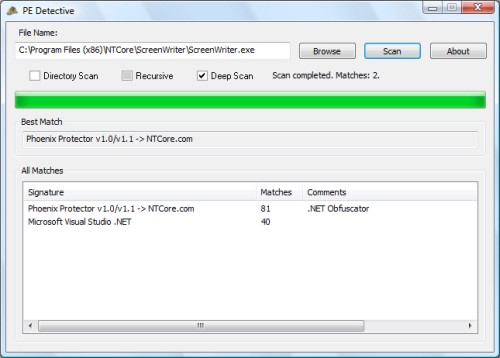
To scan a file is very easy with the PE Detective tool: just drag & drop a file on the interface and press scan. If there are multiple results, all of them will be listed in descending priority. The data for each result shows the signature name, the number of matches (meaning how many bytes in the signature match, wild-cards aren’t counted) and possible comments regarding the signature.
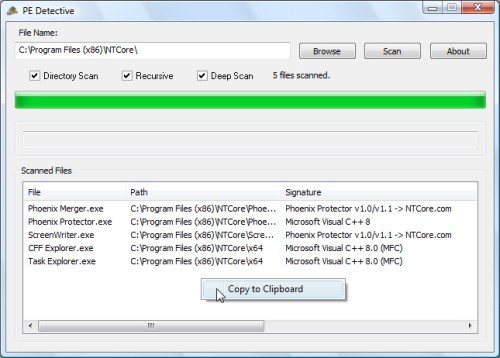
It’s, also, possible to perform a directory scan through the PE Detective. This means that every file in that directory will be scanned and listed in the results. The scan can be performed recursevely. As you can see, through the pop-up menu you can generate a complete report of the scanning session.
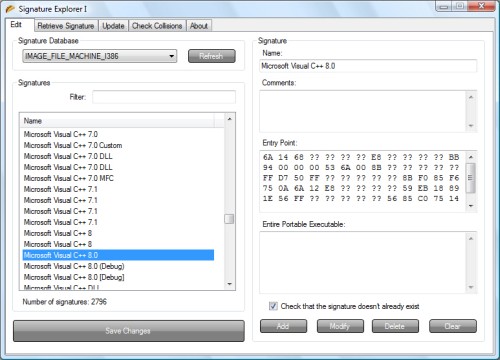
The PE Detective comes along with the Signature Explorer, an advanced signature manager. This manager can open a signature database (there’s one for each supported platform and a platform independent dabatase) and add, modify and delete its signatures. Entire PE Signatures are only used when the Deep Scan option is enabled. Those kind of signatures are scanned through the entire PE.
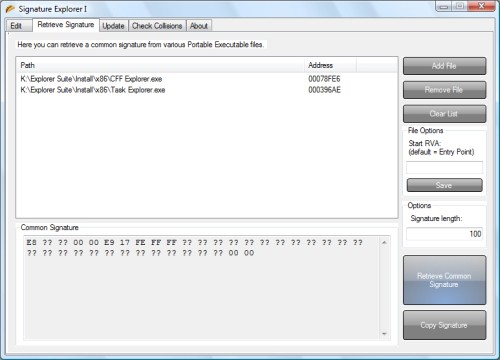
To retrieve new signatures to add to the database, there’s a Signature Retriever utility. This utility retrieves common bytes (at a certain RVA and given a maximum signature lenght) of two or more applications. The default RVA is the application entrypoint.
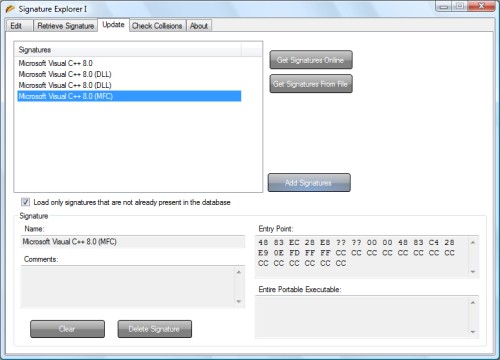
Update is an easy task. Through the update utility you can update the current loaded signature database online or from file. There’s an option to show only not-already-existing signatures and you can still delete all the items you don’t want to add to the database.
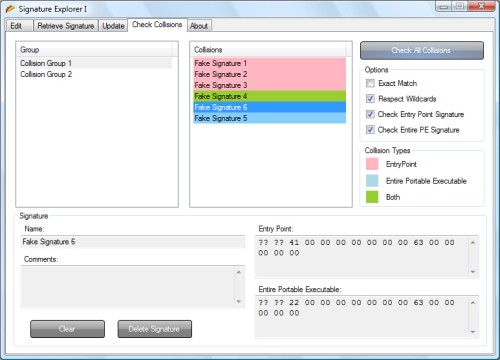
The last utility provided by the Signature Explorer is a Collision Checker. Basically, it checks the current loaded database for collisions (meaning already existing signatures). The check can be done specifying various options. When the scan is completed, already existing signatures are showed in collision groups and each signature has a different color depending on how it collides with the other signature in its collision group. You can also delete from the same interface all the signatures which you think of being redundant. Warning: for huge database files the scan might take a while and it’s only there to preserve the database’s integrity.
Features:
- File Scanner
- Directory Scanner
- Deep Scan method
- Recursive Scan method
- Multiple results
- Report generation
- Signatures Manager
- Signatures Updater
- Signatures Collisions Checker
- Signatures Retriever