Download the Explorer Suite
Current Version: III (18/11/2012)
Small announcement: If you or your organization needs professional PE inspection, then take a look at Cerbero Suite (the commercial product of my company), which properly supports many file formats beyond the complete Portable Executable specification and is multi-platform (Windows, OS X & Linux).
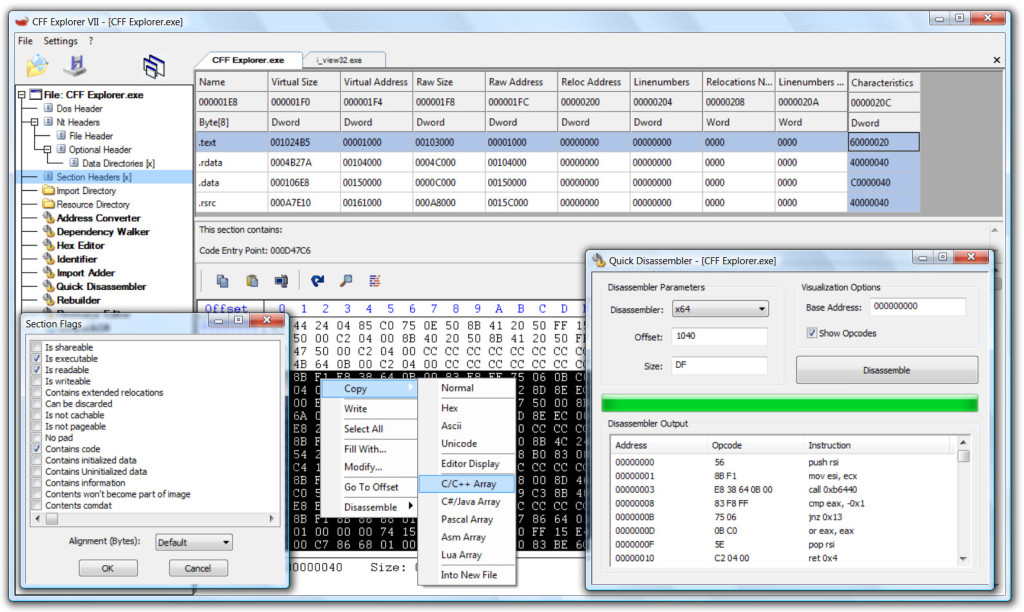
Created by Erik Pistelli, a freeware suite of tools including a PE editor called CFF Explorer and a process viewer. The PE editor has full support for PE32/64. Special fields description and modification (.NET supported), utilities, rebuilder, hex editor, import adder, signature scanner, signature manager, extension support, scripting, disassembler, dependency walker etc. First PE editor with support for .NET internal structures. Resource Editor (Windows Vista icons supported) capable of handling .NET manifest resources. The suite is available for x86 and x64.
– Explorer Suite (Multi-Platform Version, Recommended)
SHA1: 89CAB44D4956210570AB3123FBF13B2B7D870B91
SHA256: 94F4348EC573B05990B1E19542986E46DC30A87870739F5D5430B60072D5144D
– CFF Explorer (x86 Version, stand-alone, Zip Archive)
SHA1: 7A287CD97BD9287C020C98C3496E284D04F5382D
SHA256: 8E72BCB9C6E83F188F4A259AD039ED3CC37CDF2C3EA12B00F0DF8D8B67E96D96
CFF Explorer was designed to make PE editing as easy as possible, but without losing sight on the portable executable’s internal structure. This application includes a series of tools which might help not only reverse engineers but also programmers. It offers a multi-file environment and a switchable interface.
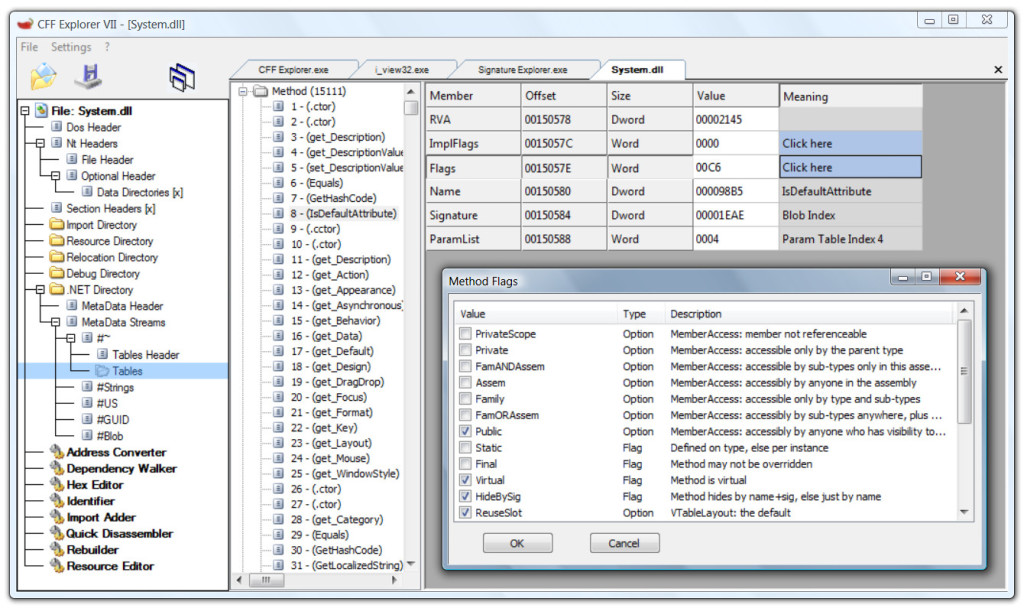
Also, it’s the first PE editor with full support for the .NET file format. With this tool you can easily edit metadata’s fields and flags. If you’re programming something that has to do with .NET metadata, you will need this tool. The resource viewer supports .NET image formats like icons, bitmaps, pngs. You’ll be able to analyze .NET files without having to install the .NET framework, this tool has its own functions to access the .NET format.
Useful links:
– How to write a CFF Explorer Extension
– CFF Explorer Scripting Language Documentation (v2)
– CFF Explorer Scripting Language Documentation (v1)
– CFF Explorer Extensions Repository
Features:
- Process Viewer
- Drivers Viewer
- Windows Viewer
- PE and Memory Dumper
- Full support for PE32/64
- Special fields description and modification (.NET supported)
- PE Utilities
- PE Rebuilder (with Realigner, IT Binder, Reloc Remover, Strong Name Signature Remover, Image Base Changer)
- View and modification of .NET internal structures
- Resource Editor (full support for Windows Vista icons)
- Support in the Resource Editor for .NET resources (dumpable as well)
- Hex Editor
- Import Adder
- PE integrity checks
- Extension support
- Visual Studio Extensions Wizard
- Powerful scripting language
- Dependency Walker
- Quick Disassembler (x86, x64, MSIL)
- Name Unmangler
- Extension support
- File Scanner
- Directory Scanner
- Deep Scan method
- Recursive Scan method
- Multiple results
- Report generation
- Signatures Manager
- Signatures Updater
- Signatures Collisions Checker
- Signatures Retriever